- CRM Migration
- Data Engineering
- Node.js
- MongoDB
How we tested a HubSpot to Salesforce migration with Node.js and MongoDB
Inside a 23,684-activity HubSpot archive. See how Node.js and MongoDB helped a sales team verify account history, note links and dates in Salesforce test batches.
By Forhad6 min read
A sales rep opens an account in Salesforce to prepare for a follow-up. The contact is there. So is the last meeting. Can the rep find the note that explains what the customer agreed to? An import can return a new record ID for every note and still put that rep on the wrong account.
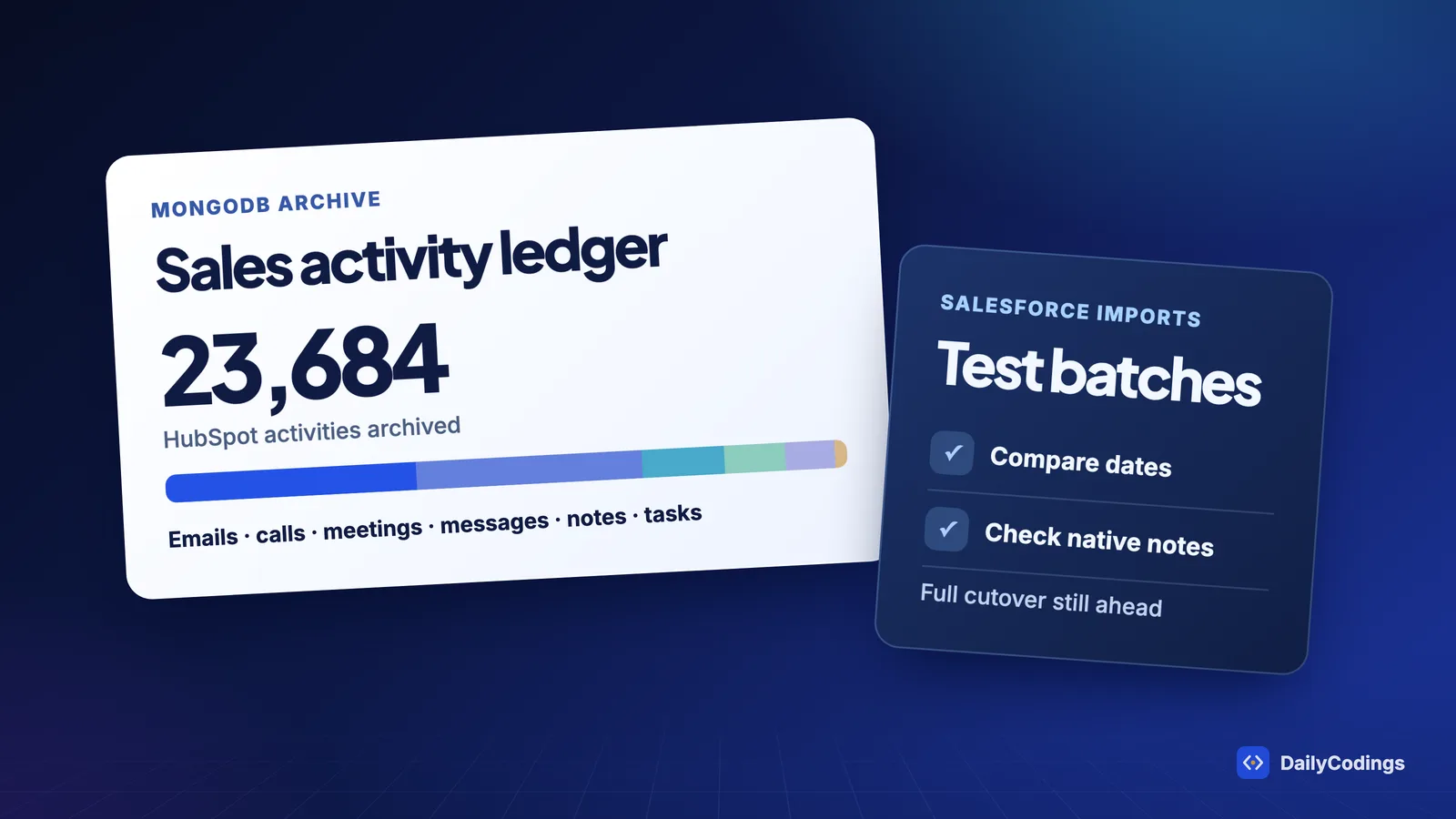
I worked on this migration at Changing Digital for the sales team behind a fund research platform. We used Node.js to copy HubSpot records into MongoDB, built account timelines the team could review, then checked batches of records imported into Salesforce. We archived 23,684 activities. Salesforce verification had reached the test-batch stage. The migration case study gives the business context and results.
Why MongoDB sat between the two CRMs
Sales could still edit a HubSpot record while we worked on its Salesforce mapping. If a note looked different after an import, comparing it with the latest HubSpot screen could send us looking for a bug in a record someone had just edited.
We started with a full copy in MongoDB. Later syncs picked up changes and retained earlier versions. That gave us a source record to return to when checking a batch. Google Sheets served a different purpose. It gave the sales team a familiar way to review the history of a company or contact before the move.
| Stage | What it produced | What someone could check |
|---|---|---|
| HubSpot to MongoDB | Archived records, activities and their change history | Which version of the source record was under review? |
| MongoDB to Google Sheets | Timelines for 1,653 companies and 2,830 contacts | Does the sequence of calls, meetings and notes make sense to the rep who owns the relationship? |
| Reviewed records to Salesforce | Test imports, native notes and a daily change log | Which run wrote this record, and does the destination agree with its source? |
Counting the archive without double-counting history
The archive contained 8,711 emails, 7,856 calls, 2,854 meetings, 2,123 messages, 1,716 notes and 424 tasks. Those six counts add up to 23,684. An activity can appear on both a company timeline and a contact timeline. Adding up the rows in those two views would count some conversations twice.
Here is an illustrative, read-only Node.js query for that check. It assumes a MongoDB collection called activitySnapshots with one source portal, a named review snapshot, and a HubSpot ID and activity type on each row. The names are examples. Grouping by type and source ID first gives one count per activity even if several archived rows describe it.
const counts = await db.collection("activitySnapshots").aggregate([
  { $match: { snapshot: "review-01" } },
  { $group: { _id: { type: "$activityType", id: "$hubspotId" } } },
  { $group: { _id: "$_id.type", activities: { $sum: 1 } } },
  { $sort: { activities: -1 } }
]).toArray();
For a reconciliation report, check for missing source IDs before running the count. Then compare each type with the source inventory for the same snapshot. A matching grand total can hide a missing call and an extra email. MongoDB aggregation with the Node.js driver
Following one note into Salesforce
HubSpot keeps the text of a note in hs_note_body. Its hs_timestamp determines where it appears on the timeline. Associations identify the company, contact or other record the note belongs to. Two companies can have a note with exactly the same text, so matching on the text alone is a poor way to reconstruct the relationship. HubSpot Notes API
Our test batches imported notes as native Salesforce notes. In Salesforce, the note and its links to business records can be read separately. ContentDocumentLink.LinkedEntityId identifies the record a document is linked to. That gives an engineer a way to check whether the note landed on the intended account and contact. How Salesforce identifies a note’s parent records
Consider a fictional note linked to both a company and a contact. First map those two HubSpot IDs to their expected Salesforce IDs. Then read the note’s account and contact links back from Salesforce. This small Node.js example uses readable stand-ins for the IDs.
const expected = new Set(["account-A", "contact-B"]);
const actual = new Set(["account-A", "contact-C"]);

const missing = [...expected].filter(id => !actual.has(id));
const unexpected = [...actual].filter(id => !expected.has(id));

console.log({ missing, unexpected });
// { missing: ["contact-B"], unexpected: ["contact-C"] }
Both sides have two links. The difference tells the reviewer exactly which contact is missing and which one received the note in error. A useful next check is to open the corrected note as a sales rep and read it from the account they use for follow-up.
Checking dates and fields before the next batch
There are three dates worth distinguishing on an imported activity. When did the conversation happen? When was its CRM record created? When was the record last edited? An import performed today can represent a call from years ago. Give each date a destination and compare timestamps in the same time zone.
The project’s test imports preserved original creation and modification dates. If you are repeating that check in another Salesforce org, verify which destination objects support setting audit fields and whether the importing user has permission to set them on creation. Also inspect the date the rep actually sees on the timeline. Salesforce system fields
Our field-gap report listed HubSpot properties with no corresponding Salesforce field. That gave sales a specific decision. If a rep needs an old value to service the account, give it a destination and test it. If the team only needs it for a historical lookup, agree where they will retrieve it from the archive. The daily change log tied Salesforce changes back to a run so we could revisit the affected batch.
What the test batches proved
At the point covered by the case study, 113 automated tests had passed across the sync, timelines and migration logic. We had a completed activity archive and record-by-record comparisons for tested Salesforce batches. The full production cutover was still ahead.
For a cutover decision, I would ask for three pieces of evidence from the final change window. Reconcile the source counts by activity type, resolve or explicitly accept every outstanding mapping difference, and have a rep find a known conversation using their ordinary Salesforce access. The rep’s check answers the question that started this work. Can they pick up the account where they left off?
If you are deciding how much history to include in your own pilot, the HubSpot to Salesforce migration cost guide breaks down the work to price.
Written by
Forhad, Lead engineer at DailyCodings
Forhad builds the systems behind DailyCodings' client work: web scraping pipelines, ETL and data platforms, workflow automations, dashboards, and AI-assisted tools, mostly in Python.
- Python development
- Data engineering
- Web scraping
- Automation
- AI workflows
- Dashboards