- Pricing
- Data
What Does Lead Data Enrichment Cost per Usable Record?
Model a $199 lead enrichment trial and compare the cost per accepted prospect at different match rates. Define required fields, duplicate rules and proof before buying credits.
By DailyCodings Team4 min read

In our 200-domain lead enrichment example, $199 buys a tool month and five hours of checking. At 150 accepted prospects, that is $1.33 per usable record. For a sales owner, the useful number is the cost of a distinct record the team can act on after duplicates, weak matches and missing fields have been removed.
Hunter’s Starter plan lists $49 billed monthly with 2,000 monthly credits, or $408 billed yearly with 24,000 annual credits. Credits pay for eligible operations. A credit count alone cannot tell you how many distinct prospects will have every field sales needs. A verified work email and a company classification backed by evidence are separate deliverables. Hunter pricing · Hunter credit rules
Decide what your sales team will accept
| Sales task | Minimum useful fields | Cost driver to test in the sample |
|---|---|---|
| Route an inbound company to the right rep | Company domain, existing CRM ID and territory | Subsidiaries or duplicate domains with different owners |
| Build a list for a specialist offer | Relevant company activity and a source supporting it | A broad industry label can conceal poor-fit prospects |
| Reach a named decision-maker | Current role, employer, work contact confidence and date verified | Career moves, ambiguous names and uncertain addresses |
Choose a mix of easy and difficult accounts for the trial. If your most valuable prospects are small specialist firms, a sample made entirely of famous companies will make both match rates and research time look better than they are. Ask for the rejected rows as well as the successful ones. They can show that a different source or a simpler field list would deliver more value.
Price the records sales accepts
Suppose sales supplies 200 domains and asks for a usable work email and an industry label. Assume one $49 subscription month covers the lookups and a researcher spends five hours at $30/hour checking weak matches. Total cost is $199. If 150 distinct rows pass review, the cost is $1.33 per accepted row. At only 100 accepted rows, the same spend is $1.99 each. Exclude existing contacts and agree in advance how a catch-all result should be labelled.
A studio can test lead enrichment on a small sample of 25 rows from different industries before connecting a tool to the CRM. Ask for source, retrieval date and reason for rejection alongside the accepted fields. Confirm any extra paid lookups, contacts or manual verification with the supplier.
What a specialist field adds
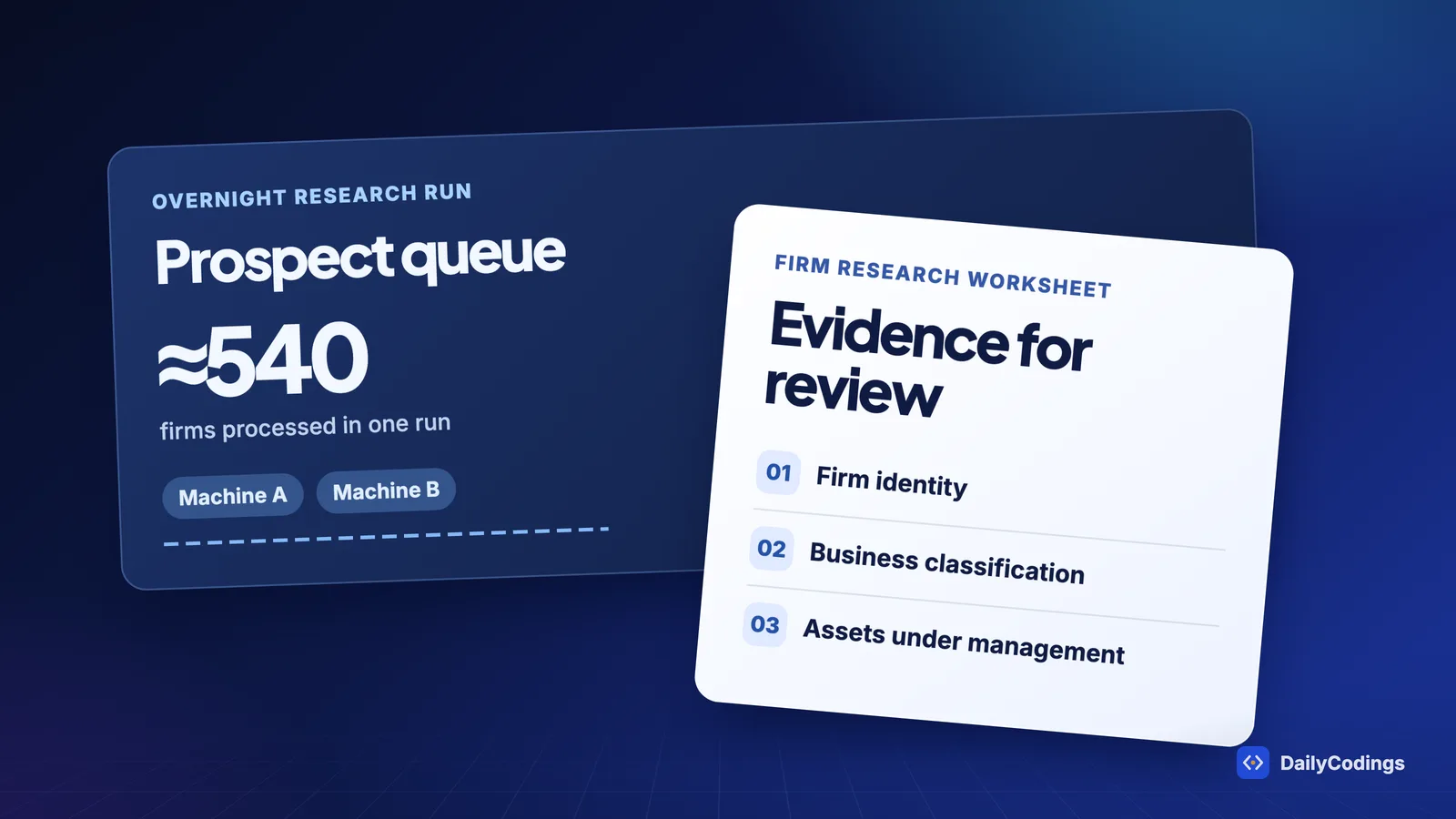
In a DailyCodings project for fund research, one overnight run processed roughly 540 firms. The work covered company identity, classification and assets under management, with evidence and an approval path for changes. Looking up an email address only buys one part of that workflow. Price a deeper research field on a representative sample before committing the whole list. Read the prospect enrichment case
How much could you pay for better evidence?
Take the same $199 budget. Supplier A delivers 170 rows, but sales can use only 100 after removing old contacts and duplicates. The effective cost is $1.99 per accepted row. A second supplier quotes $260 for 160 accepted records, or about $1.63 each. The larger invoice would buy a lower unit cost if both offers meet the same field and evidence requirements. If the team only has capacity to work 80 accounts this month, buy a smaller batch or schedule deliveries rather than paying to refresh unused data later.
For the trial, record a reason beside every rejection and have one rep review a sample without knowing which supplier supplied it. Measure acceptance by field as well as by row. You may discover that work emails are easy to verify while the buying criterion you care about requires a person to read a source.
Finally, decide which CRM fields the service may overwrite. Preserve owner assignments and customer-supplied details unless the business has agreed a correction rule. Have the studio demonstrate a proposed update, a rejected match and a safe second import. For a one-time cleanup of the list you already own, see the data cleaning cost guide.
Supplier prices checked November 25, 2026. Studio estimates use USD before tax. Compare budgets across the 24 service guides.
Written by
DailyCodings Team
DailyCodings is a software development and digital studio. We design and build websites, online stores, custom software, automation, and data systems, and help businesses grow with digital marketing.
Meet the team