- SEO
- Web Development
- Website Design
- Next.js
Technical SEO Checklist for a New Business Website
A practical technical SEO checklist for launching a new business website: crawling, indexing, metadata, structured data, Core Web Vitals, and the setup steps most sites skip.
By DailyCodings Team6 min read
A beautiful website that search engines cannot understand is a brochure nobody finds. Technical SEO is the foundation that lets your content rank: it makes sure Google can find your pages, understand what they are about, and trust that they are fast and secure.
The good news is that most technical SEO is set up once, at launch. This checklist covers what we put in place for every website we build, including our own.
1. Crawling: help search engines find your pages
Create an XML sitemap. A sitemap lists every page you want indexed, with the date each one last changed. Generate it automatically from your content so new pages appear without anyone remembering to add them. Our own site rebuilds its sitemap every time we publish a project or article.
Add a robots.txt file. It tells crawlers which areas to skip, such as admin pages, and points them to your sitemap. Check it carefully: one wrong line can block your entire site from Google.
Use clean, readable URLs. /services/web-design is better than /page?id=482. Use lowercase words separated by hyphens, and keep URLs stable. If you must change one, add a permanent (301) redirect from the old address.
Link your pages together. Search engines discover pages by following links. Every important page should be reachable within a few clicks from the homepage, and related pages should link to each other with descriptive anchor text.
2. Indexing: control what appears in search
Set a canonical URL on every page. The same page can often be reached at several addresses: with and without www, with tracking parameters, or with a trailing slash. A canonical tag tells Google which version is the real one, so ranking signals are not split between duplicates.
Return proper status codes. A page that does not exist must return a real 404, not a "not found" message on a page that reports success. Keep error pages out of the index with a noindex tag.
Choose one domain version. Pick https:// plus either www or the bare domain, and redirect everything else to it.
3. Metadata: write for the search results page
Write a unique title for every page. Put the most important words first and keep it under about 60 characters so it is not cut off in results. A consistent pattern works well, such as "Page topic | Brand name".
Write a meta description for every page. It rarely affects ranking directly, but it is your advertisement in the search results. Aim for roughly 150 to 160 characters that explain what the reader will get.
Use one clear H1 per page, followed by a logical structure of H2 and H3 headings. Headings help both readers and search engines understand how the content is organized.
Add Open Graph and Twitter card tags. These control how your page looks when shared on LinkedIn, WhatsApp, or X. A branded share image for each page, generated automatically, makes shared links far more clickable.
4. Structured data: explain your content to machines
Structured data uses a standard vocabulary from Schema.org, usually written as JSON-LD, to describe your content precisely. It can make your pages eligible for richer search results.
Useful types for most business websites:
- Organization on the homepage, with your name, logo, and contact details
- WebSite to describe the site as a whole
- BreadcrumbList on inner pages, so results show where a page sits in your site
- Article on blog posts, with the author and publish date
- LocalBusiness if you serve customers at a physical location
- FAQPage content where it genuinely helps readers, though Google now shows FAQ rich results for very few sites
Test every type with Google's Rich Results Test before launch.
5. Performance: pass Core Web Vitals
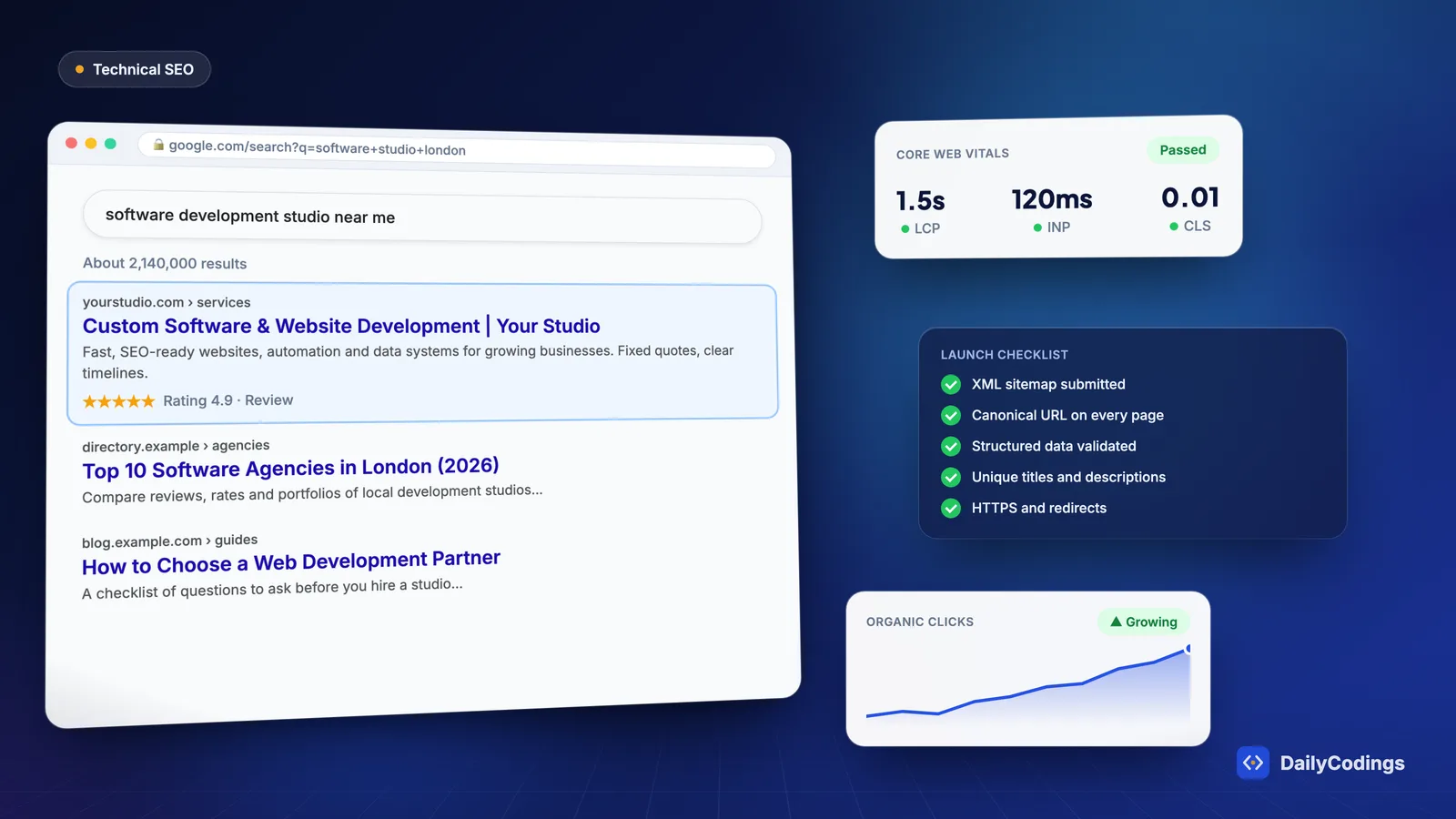
Google measures real-world experience with three Core Web Vitals:
- Largest Contentful Paint (LCP): how quickly the main content appears. Aim for 2.5 seconds or less.
- Interaction to Next Paint (INP): how quickly the page responds when someone taps or clicks. Aim for 200 milliseconds or less.
- Cumulative Layout Shift (CLS): how much the page jumps around while loading. Aim for 0.1 or less.
The most common fixes:
- Serve images in modern formats such as WebP or AVIF, at the size they are displayed, with width and height set so the layout does not shift
- Load fonts efficiently and avoid invisible text while they download
- Keep heavy JavaScript off pages that do not need it
- Pre-render pages as static HTML wherever possible
One lesson from building our own site: we originally faded in the homepage headline with an animation. It looked nice, but the main text stayed invisible until the animation ran, which delays LCP. We kept the animation on the illustration and made the headline visible immediately.
6. Mobile and accessibility
Google indexes the mobile version of your site, so the mobile experience is the one that counts.
- Make layouts responsive with no sideways scrolling
- Make buttons and links large enough to tap comfortably
- Keep body text readable without zooming
- Write descriptive alt text for meaningful images
- Ensure strong color contrast in both light and dark modes
Accessibility and SEO overlap heavily. Clear structure, readable text, and descriptive labels help search engines as much as they help people.
7. Security and trust
- Serve the entire site over HTTPS with an auto-renewing certificate
- Show clear contact details and an About page that explains who you are
- Keep author names and dates on articles, which helps readers judge how current and credible the content is
8. After launch: measure and maintain
Set up Google Search Console and submit your sitemap. It shows which pages are indexed, which searches bring visitors, and any crawl or performance problems Google finds. Bing Webmaster Tools is worth adding too.
Set up website analytics and conversion tracking with your visitors’ privacy choices in mind, so you can see which pages attract inquiries.
Publish useful content regularly. Technical SEO makes your site eligible to rank; helpful, original content is what earns the ranking. Answer the questions your customers actually ask.
Review every few months. Look for broken links, slow pages, and pages Google has chosen not to index.
Quick launch checklist
- XML sitemap generated automatically and submitted to Search Console
- robots.txt allows crawling and links to the sitemap
- One domain version, HTTPS everywhere, redirects in place
- Unique title, description, and canonical URL on every page
- One H1 per page with a logical heading structure
- Open Graph tags and a share image for every page
- Structured data validated with the Rich Results Test
- Real 404 pages that are not indexed
- Core Web Vitals passing on mobile
- Images optimized with alt text
- Internal links between related pages
Frequently asked questions
What is technical SEO?
Technical SEO is making a website easy for search engines to crawl, understand, and index. It covers site speed, mobile usability, sitemaps, robots.txt, canonical URLs, structured data, redirects, and security.
How long does it take for a new website to rank on Google?
New pages are often indexed within days to weeks once they are in a sitemap and Search Console. Ranking for competitive searches usually takes several months, and new domains take longer than established ones.
Do I need structured data on my website?
It is not required, but structured data such as Organization, Article, Product, and Breadcrumb schema helps search engines and AI assistants understand your pages, and can make them eligible for richer search results.
Should I submit my sitemap to Google and Bing?
Yes. Submit it in Google Search Console and Bing Webmaster Tools. Bing's index also feeds several AI search tools, so being indexed there matters more than its search share suggests.
Written by
DailyCodings Team
DailyCodings is a software development and digital studio. We design and build websites, online stores, custom software, automation, and data systems, and help businesses grow with digital marketing.
Meet the team