- Web Scraping
- Reliability
- Python
How to Build a Web Scraper That Doesn't Break: 7 Patterns for Reliable Scraping
Most web scrapers break within weeks. These seven patterns, from per-source adapters to validation and quality monitoring, keep scraping pipelines reliable when websites change.
By ForhadUpdated 6 min read
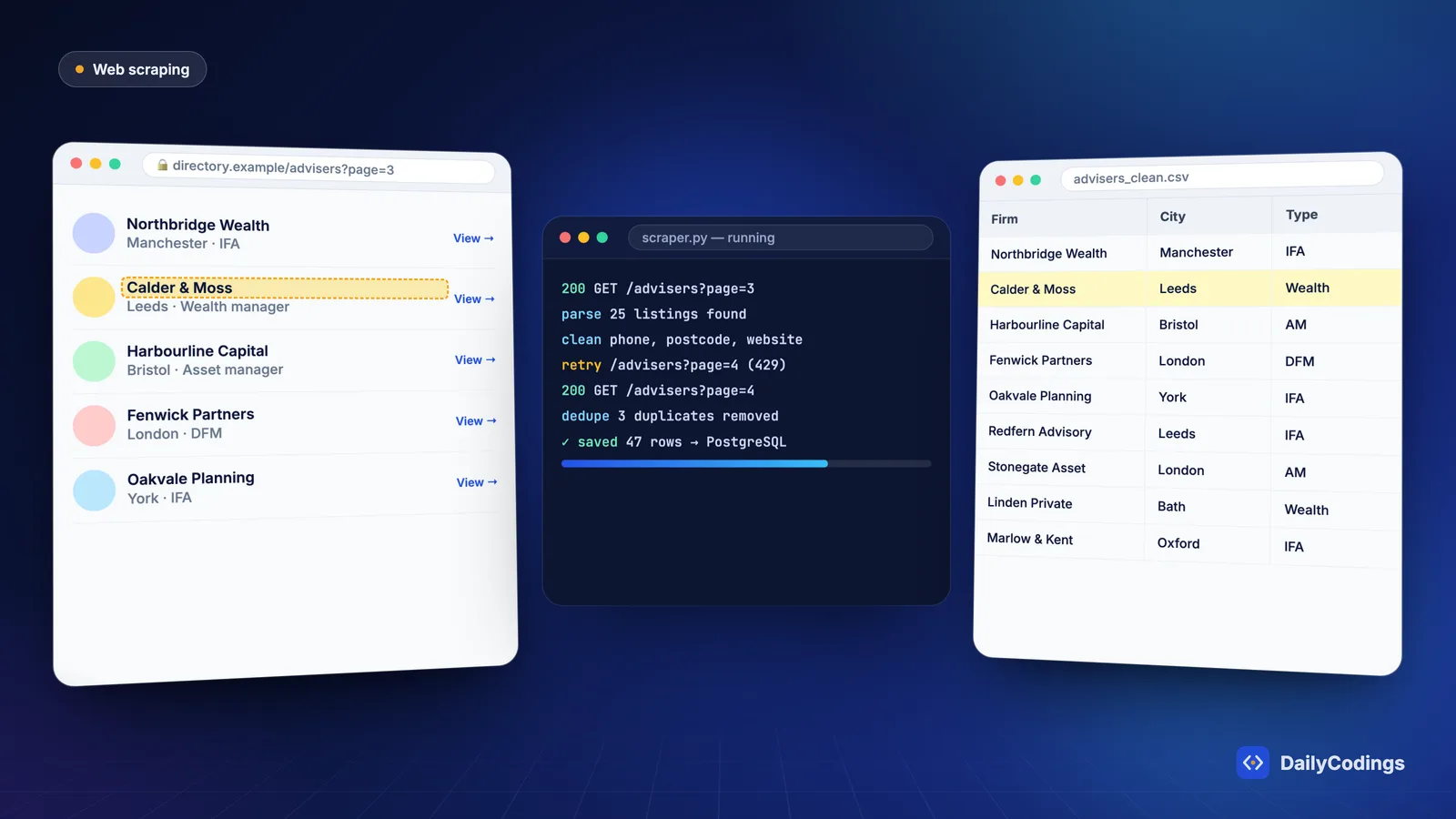
Writing a scraper that works today is easy. Writing one that still works in three months is the hard part. Websites change their layout, add bot protection, rename fields, and return half-empty pages without any error. The scraper keeps running, the job shows green, and nobody notices that the data stopped making sense two weeks ago.
We build scraping systems for pricing research, market intelligence, and lead data, and almost every failure we have fixed came from the same root cause: the scraper assumed the source would stay the same. The parser itself is rarely the problem.
This guide covers seven patterns that make scrapers survive real-world change. The examples use Python, but the ideas apply to any language or tool.
1. Give every source its own adapter
The most common mistake is one large script that scrapes five websites with shared logic and a pile of if statements. When one site changes, the fix risks breaking the other four.
Instead, give each source its own adapter: a small module that knows how to fetch and parse that one site and returns data in a shared, standard shape.
from dataclasses import dataclass

@dataclass
class Listing:
    source: str
    external_id: str
    name: str
    price: float | None
    url: str

class SourceAdapter:
    name: str

    def fetch_pages(self) -> list[str]: ...
    def parse(self, html: str) -> list[Listing]: ...
Everything after the adapter (data cleaning and de-duplication, storage) works with Listing objects and never touches HTML. When a site redesigns, you fix one adapter and nothing else moves.
2. Pick the lightest fetching method that works
Not every site needs a headless browser. In order of preference:
- An official API or data feed. The most stable option by far. Always check first.
- The site's own JSON endpoints. Many modern pages load data from an internal API you can see in the browser's network tab. Requesting that JSON is faster and breaks less often than parsing HTML.
- Plain HTTP requests plus an HTML parser, such as
httpxwith BeautifulSoup orselectolax. - A headless browser like Playwright, only for pages that truly need JavaScript to render.
Headless browsers are slower, cost more to run, and have more moving parts. Use them where they are needed, not by default.
3. Choose selectors that survive redesigns
Selectors are where most scrapers break. Some choices last much longer than others:
| More stable | Less stable |
|---|---|
Structured data (JSON-LD, itemprop) | Long CSS paths like div > div:nth-child(3) > span |
data-* attributes and ids | Auto-generated class names like css-1x2y3z |
| Text labels near the value ("Price:") | Position on the page |
Check for JSON-LD before anything else. Many product, business, and article pages include a <script type="application/ld+json"> block with clean, structured data, because sites add it for Google. It changes far less often than the visual layout.
4. Treat scraped data as untrusted input
A page that loads with a 200 status code can still be wrong: a cookie wall, a "no results" page, a layout change that shifts every field one column over. If you pass that data downstream unchecked, it quietly corrupts your database.
Validate every record at the boundary, right after parsing, with a schema library such as Pydantic:
from pydantic import BaseModel, HttpUrl, field_validator

class ListingRecord(BaseModel):
    source: str
    external_id: str
    name: str
    price: float | None
    url: HttpUrl

    @field_validator("name")
    @classmethod
    def name_not_empty(cls, value: str) -> str:
        if not value.strip():
            raise ValueError("empty name")
        return value.strip()

    @field_validator("price")
    @classmethod
    def price_in_range(cls, value: float | None) -> float | None:
        if value is not None and not (0 < value < 1_000_000):
            raise ValueError(f"suspicious price: {value}")
        return value
Records that fail validation should not be dropped silently. Send them to a "rejected" table with the reason, so you can see when a source starts misbehaving.
5. Make re-runs safe: idempotency and de-duplication
Scrapers fail halfway through. Networks drop, servers time out, machines restart. The fix is to make every run safe to repeat:
- Give every record a stable key, usually the source name plus the site's own ID, or a hash of the URL when no ID exists.
- Upsert instead of insert, so running the same page twice updates the record instead of creating a duplicate.
- Track progress per page or batch, so a failed run can resume rather than start over.
With these in place, retrying is always safe, and you can re-scrape a source after fixing a bug without cleaning up duplicates by hand.
6. Be polite: rate limits, retries, and backoff
Aggressive scraping gets you blocked and puts unfair load on someone else's server. A reliable scraper is a polite one:
- Limit concurrency per domain and add a short delay between requests.
- Retry temporary failures (timeouts,
429,5xx) with exponential backoff, and give up after a few attempts. - Respect
robots.txtand the site's terms, set an honest user agent, and cache pages you have already fetched. - Scrape during quieter hours when you can.
Polite scrapers get blocked far less often, which also makes them more reliable.
7. Monitor data quality, not just job status
"The job finished" tells you very little. What you really want to know is whether the data still looks right. Track a few simple numbers for every run and every source:
- Records extracted, compared with the last few runs
- Validation failure rate
- Missing-field rate for important fields like price or email
- Share of new versus updated records
Then alert on sudden changes. If a source that usually returns 2,000 records suddenly returns 40, or the missing-price rate jumps from 2% to 60%, something has changed on the site. These checks are your early warning system for silent data drift, the failure mode that hurts most because nothing crashes.
Putting it together
A dependable scraping pipeline usually looks like this:
- Scheduler starts runs (cron, GitHub Actions, Airflow, or n8n).
- Adapters fetch and parse each source into a standard shape.
- Validation checks every record and quarantines failures.
- Storage upserts clean records into PostgreSQL, MongoDB, or a spreadsheet.
- Monitoring compares quality numbers with previous runs and sends alerts.
- Delivery exports to CSV, Google Sheets, a CRM, or a dashboard.
None of these steps is complicated on its own. Together, they turn a fragile script into a system you can rely on.
A note on legality and ethics
Collecting publicly available data is generally lawful, but it depends on the site's terms, the kind of data, and where you and the people in the data are located. Be especially careful with personal data, which privacy laws like GDPR protect even when it is public. Avoid logging in to scrape, do not bypass access controls, and get legal advice when in doubt.
Frequently asked questions
Why do web scrapers break so often?
Mostly because websites change: new layouts, renamed fields, bot protection, or pages that load but return incomplete data. Scrapers that assume the source stays the same fail silently when it does not.
Should I use Playwright or requests with BeautifulSoup?
Use plain HTTP requests with an HTML parser whenever the data is in the page source or an internal JSON endpoint, because it is faster and more stable. Use a headless browser like Playwright only for pages that need JavaScript to show the data.
Is web scraping legal?
Collecting publicly available data is generally lawful, but it depends on the site's terms, the type of data, and where you operate. Personal data is protected by privacy laws such as GDPR even when it is public, so take legal advice when in doubt.
How do I know my scraper is still collecting correct data?
Track quality numbers for every run, such as records extracted, validation failure rate, and missing-field rate, and alert when they change suddenly compared with previous runs.
Written by
Forhad, Lead engineer at DailyCodings
Forhad builds the systems behind DailyCodings' client work: web scraping pipelines, ETL and data platforms, workflow automations, dashboards, and AI-assisted tools, mostly in Python.
- Python development
- Data engineering
- Web scraping
- Automation
- AI workflows
- Dashboards